

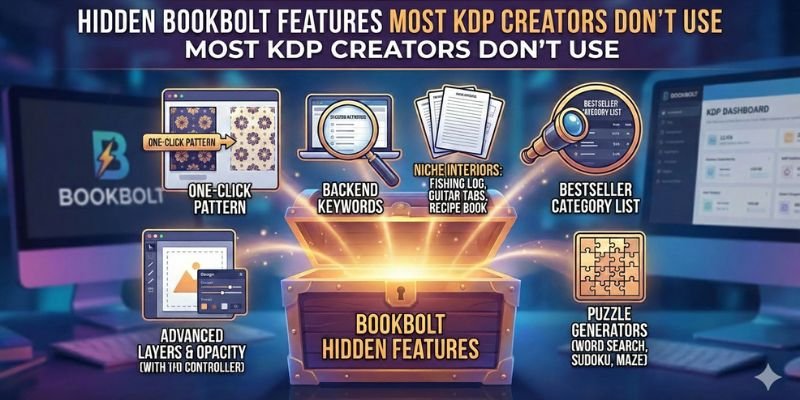
Hidden BookBolt Features: Amazon KDP has opened the door for creators all over the world to publish books without printing costs or inventory.
Journals, notebooks, planners, puzzle books, trackers, and logbooks are selling daily on Amazon.
But here is the truth: most KDP creators are using only 30–40% of the tools available to them.
If you are using BookBolt, chances are you are only scratching the surface.
Many creators use BookBolt only for:
- Basic interior templates
- Simple cover design
- Keyword search
But BookBolt has powerful hidden features that can save time, reduce mistakes, improve rankings, and help you scale faster — features many creators completely ignore.
Why Most KDP Creators Miss These BookBolt Features
Before we dive in, let’s understand why these features are often ignored:
- Creators rush to publish quickly
- Many don’t explore advanced settings
- Beginners don’t know these tools exist
- Some think BookBolt is only for interiors
- People don’t follow a system
BookBolt is not just a design tool. It is a full KDP publishing system. When used fully, it gives creators a big advantage.
Hidden Feature #1: Deep Niche Expansion Using Research Filters
Most creators type one keyword and stop.
Big mistake.
BookBolt’s research tools allow deep niche expansion, but many users don’t apply filters correctly.
What Most Creators Do
- Search one keyword
- Pick a niche with low competition
- Move on
What Smart Creators Do
They:
- Filter by book type
- Analyze price range
- Check page count trends
- Study review velocity
- Compare multiple sub-niches
This helps identify micro-niches where demand exists but competition is weaker.
👉 This is especially powerful for:
- Low-content books
- Seasonal planners
- Kids activity books
- Profession-specific journals
👉 Want to explore hidden niche data faster?
Use BookBolt’s advanced research tools to uncover low-competition niches most sellers miss.
👉 Try BookBolt’s Research Tools Now
https://bookbolt.io/8118.html
Perfect for creators who want to publish smarter — not harder.
Hidden Feature #2: KDP Category Mining Tool
Most creators select categories manually — and choose wrong ones.
BookBolt has a category discovery system that shows:
- Hidden sub-categories
- Competition level per category
- Category relevance for keywords
Why This Matters
Choosing the right category can:
- Improve visibility
- Help books rank faster
- Reduce competition
- Increase organic sales
Many KDP creators never use this tool — yet it directly impacts rankings.
Hidden Feature #3: Interior Page Duplication Logic
Many creators manually duplicate pages one by one.
BookBolt allows:
- Bulk duplication
- Pattern-based page creation
- Section-based layout building
Example:
- Weekly planner + monthly planner in one book
- Journal with different sections
- Logbooks with alternating layouts
This saves hours and reduces formatting mistakes.
Hidden Feature #4: Puzzle Difficulty Control
Most creators use the puzzle generator but never adjust difficulty.
BookBolt lets you:
- Control grid size
- Word count
- Complexity level
- Puzzle variation
This is critical for:
- Kids books
- Senior puzzle books
- Educational activity books
Difficulty mismatch = bad reviews.
Creators who ignore this feature often get low ratings.
👉 Want to build better puzzle books?
Create high-quality puzzle and activity books with full difficulty control.
👉 Unlock BookBolt Puzzle Tools
https://bookbolt.io/8118.html
Perfect for word search, sudoku, and activity book creators.
Hidden Feature #5: Cover Spine Calculation Tool
Many creators guess spine size.
BookBolt automatically calculates:
- Spine width
- Based on page count
- Paper type
- KDP print specs
Incorrect spine = rejected cover.
This tool prevents:
- Upload errors
- Rejections
- Re-uploads
Yet many creators design covers manually and never use this.
Hidden Feature #6: Trim Size Strategy Tool
Most creators stick to common trim sizes without thinking.
BookBolt allows:
- Trim size comparison
- Market trend observation
- Profit margin evaluation
Certain trim sizes:
- Print cheaper
- Rank better
- Fit niche expectations
Advanced creators use trim size as a sales strategy, not a default choice.
Hidden Feature #7: Book Description Structure Builder
Many creators write descriptions randomly.
BookBolt helps structure:
- SEO-friendly descriptions
- Keyword placement
- Bullet formatting
- Readability flow
This improves:
- Click-through rate
- Conversion
- Amazon relevance
Many ignore this feature and lose sales.
👉 Want better listings that convert?
Optimize your KDP listings with structured descriptions and keyword logic.
👉 Use BookBolt Listing Tools
https://bookbolt.io/8118.html
Designed to improve ranking and buyer trust.
Hidden Feature #8: Seasonal Publishing Tracker
BookBolt shows patterns for:
- Seasonal demand
- Holiday spikes
- Event-based niches
Most creators publish randomly.
Smart creators:
- Plan 2–3 months ahead
- Use seasonal data
- Publish at the right time
This feature is often ignored but extremely powerful.
Hidden Feature #9: Low-Content vs No-Content Profit Analyzer
BookBolt helps compare:
- Lined journals
- Blank notebooks
- Guided planners
- Activity books
Many creators assume all low-content books perform the same.
They don’t.
This tool helps you decide:
- What type converts better
- What sells at higher prices
- What niche needs guidance
Hidden Feature #10: Export Validation System
Many creators upload files without checking.
BookBolt validates:
- Margins
- Bleed
- Page order
- Print safety
This reduces:
- KDP rejections
- Printing errors
- Bad customer reviews
Yet many skip this step.
Why These Hidden Features Matter Globally
BookBolt works for creators in:
- USA
- UK
- Canada
- Australia
- India
- Europe
- Middle East
Because:
- KDP rules are global
- Design standards are same
- Ranking logic applies everywhere
Using hidden features gives any creator, from any country, a fair chance to compete.
How to Use These Features Together (Smart Workflow)
- Research niche deeply
- Validate competition
- Choose correct category
- Select strategic trim size
- Build interior with sections
- Design cover with correct spine
- Optimize description
- Validate files
- Publish on time
This system turns BookBolt into a publishing engine.
👉 Want the full BookBolt workflow?
Access all BookBolt features and publish smarter using one platform.
👉 Start Using BookBolt Today
https://bookbolt.io/8118.html
Ideal for beginners and advanced KDP creators worldwide.
Final Thoughts
Most KDP creators fail not because of lack of effort — but because they don’t use the right tools fully.
BookBolt is more than:
- A design tool
- A template library
It is a complete KDP publishing system.
The creators who succeed long-term are the ones who:
- Learn hidden features
- Use data
- Optimize workflow
- Publish consistently
If you already use BookBolt — explore deeper.
If you don’t — you’re missing a powerful advantage.
FAQs (Detailed)– BookBolt Features
1. Are these BookBolt features available for all users?
Yes. Most hidden features are available across plans, but advanced tools like puzzle control and deep analytics may require higher plans. Always explore all menu sections after login.
2. Can beginners use these advanced BookBolt features?
Absolutely. BookBolt is beginner-friendly. Hidden does not mean complicated — it simply means underused. Tutorials inside the platform help beginners use them easily.
3. Do these features really help increase KDP sales?
Yes. Better niche selection, correct categories, optimized listings, and validated interiors directly improve visibility, conversion rate, and customer satisfaction.
4. Is BookBolt useful outside the US market?
Yes. Amazon KDP rules are global. BookBolt works for all countries where Amazon sells books. Only language and niche focus may change.
5. Is BookBolt worth using long-term?
If you plan to publish regularly, scale your catalog, or build a real KDP business, BookBolt is absolutely worth it. It saves time, reduces errors, and improves decision-making.
2 thoughts on “Hidden BookBolt Features Most KDP Creators Don’t Use”
Comments are closed.